

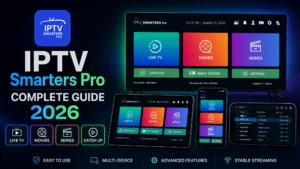
IPTV Smarters Pro: Complete Setup & Review Guide (2026)
IPTV Smarters Pro is the world’s most popular IPTV player — used by
millions on Firestick, Android, iOS, and Smart TVs. And for good reason:
it’s free, reliable, and works with virtually every IPTV service.
In this complete 2026 guide, I’ll cover everything: installation on
every device, hidden features, EPG setup, troubleshooting, and pro tips
most users never discover.
Table of Contents
What is IPTV Smarters Pro?
IPTV Smarters Pro is a media player app that lets you stream content
from your IPTV subscription. Important: it’s just a player — it
doesn’t include any channels. You need an active IPTV subscription from
a provider like Digital Lizard IPTV.
Key Features:
✅ Live TV with EPG (program guide)
✅ Movies & Series (VOD) support
✅ Catch-up TV (rewatch past programs)
✅ Multi-user support (up to 3 accounts)
✅ Parental controls
✅ External player support (VLC, MX Player)
✅ Built-in speed test
✅ Free on all platforms
How to Install IPTV Smarters Pro (All Devices)
On Firestick
- Enable Apps from Unknown Sources (Settings → My Fire TV → Developer Options)
- Install Downloader app from Amazon Appstore
- Open Downloader, enter:
iptvsmarters.com/smarters.apk - Download and install
- Open the app
Full walkthrough: Firestick IPTV setup guide
On Android Phone/TV Box
- Open Google Play Store
- Search “IPTV Smarters Pro”
- Install and open
Details: Android TV Box guide
On iPhone/iPad
- Open App Store
- Search “Smarters Player Lite” (iOS version)
- Install and open
Details: iPhone IPTV guide
On Samsung/LG Smart TV
Samsung and LG have IPTV Smarters in their app stores in most regions:
- Open your TV’s app store
- Search “IPTV Smarters”
- Install and open
Guides: Samsung setup |
LG setup
On Windows/Mac
- Visit iptvsmarters.com
- Download the desktop version
- Install and run
How to Login (Step-by-Step)
Method 1: Xtream Codes API (Recommended)
This is the best method — full EPG, VOD, and Series support.
- Open IPTV Smarters Pro
- Accept terms
- Tap Add New User
- Select Login with Xtream Codes API
- Enter:
- Name: Any name
- Username: [from your provider]
- Password: [from your provider]
- Server URL: [from your provider, format: http://server:port]
- Tap Add User
- Wait for content to load
Method 2: M3U Playlist URL
- Select Load Your Playlist or File URL
- Choose M3U URL
- Paste your playlist link
- Tap Add User
💡 Which method? Always choose Xtream Codes if your provider
offers it — better organization, EPG, and catch-up support.
Setting Up EPG (TV Guide)
EPG shows what’s playing now and next. To configure:
- Go to Settings (gear icon)
- Select EPG
- If using Xtream Codes: EPG loads automatically
- If using M3U: Add EPG URL from your provider
- Tap Refresh EPG
- Wait 2-5 minutes for full guide data
EPG not showing?
- Wait 24 hours after first setup
- Ask your provider for the EPG URL
- Refresh manually in settings
Hidden Features Most Users Miss
1. External Players
Settings → Player Selection → Choose VLC or MX Player for problematic
streams.
2. Parental Controls
Settings → Parental Control → Set PIN → Lock adult categories.
3. Multi-Screen (Android)
Watch up to 4 channels at once! Tap the multi-screen icon on the main
screen.
4. Catch-Up TV
Channels with the clock icon support rewatching up to 7 days back
(provider must support it).
5. Built-In Speed Test
Settings → Speed Test → Verify your connection can handle 4K.
6. Automation
Set app to auto-start with your device — perfect for dedicated IPTV
boxes.
Best Settings for Performance
Apply these settings for smoothest streaming:
Settings → Player Settings:
- Decoder: Hardware (HW)
- If issues: try Hardware+ or Software
Settings → General:
- Auto Start on Boot: ON (optional)
- Time Format: your preference
Settings → Stream Format:
If buffering: try HLS
Default: MPEGTS
Troubleshooting Guide
Problem: Channels Won’t Load
Fix:
- Verify subscription active
- Re-check credentials (case-sensitive!)
- Delete user and re-add
- Contact your provider
Problem: Buffering
Fix:
- Switch decoder (HW → SW or vice versa)
- Change stream format (MPEGTS → HLS)
- Use a VPN — see best VPN for IPTV
- Full guide: IPTV buffering fix
Problem: App Crashes
Fix:
- Clear cache (device settings → apps → IPTV Smarters → Clear Cache)
- Update to latest version
- Reinstall the app
Problem: EPG Missing
Fix:
- Refresh EPG in settings
- Request EPG URL from provider
- Wait 24 hours after setup
Problem: Audio Out of Sync
Fix:
- Switch to external player (VLC)
- Change decoder type
- Try different channel
Complete fixes: IPTV not working guide
IPTV Smarters Pro vs Alternatives
| Feature | Smarters Pro | TiviMate | OTT Navigator |
|---|---|---|---|
| Price | Free | $7.99 lifetime | Free |
| Ease of Use | ⭐⭐⭐⭐⭐ | ⭐⭐⭐⭐ | ⭐⭐⭐ |
| EPG Quality | Good | Excellent | Excellent |
| Recording | No | Yes (Premium) | Limited |
| Multi-Screen | Yes | Premium | Yes |
| Platforms | All | Android only | Android only |
Verdict: Smarters Pro wins for cross-platform support and
simplicity. Power users on Android should consider TiviMate.
Full comparison: best IPTV players 2026
Is IPTV Smarters Pro Safe & Legal?
Yes, the app itself is 100% legal — it’s just a media player, like
VLC. What matters is your IPTV subscription source.
Stay safe:
- ✅ Download only from iptvsmarters.com or official stores
- ✅ Use licensed IPTV providers
- ✅ Use a VPN for privacy
- ❌ Avoid fake “modded” versions — they steal credentials!
Frequently Asked Questions
Is IPTV Smarters Pro free?
Yes, completely free on all platforms.
Does it include channels?
No — it’s only a player. You need a subscription from a provider like
Digital Lizard IPTV.
Can I use multiple subscriptions?
Yes! Add up to 3 user accounts and switch between them.
Why was it removed from Play Store before?
Policy issues in some regions. It’s back in most stores; otherwise
install the APK from the official site.
Does it work with all IPTV services?
Yes, any service providing M3U or Xtream Codes works.
How do I update it?
- Play Store/App Store: auto-updates
- Firestick: re-download APK from official site
Final Thoughts
IPTV Smarters Pro remains the best free IPTV player in 2026 — simple
enough for beginners, powerful enough for daily use, and available on
every device you own.
Pair it with a quality IPTV service and you have a complete
cord-cutting solution that beats cable at 5% of the cost
(see IPTV vs Cable comparison).
Get the Perfect IPTV Service for Smarters Pro
Digital Lizard IPTV is fully optimized for IPTV Smarters Pro:
✅ Full Xtream Codes API support
✅ Complete EPG data
✅ Catch-Up TV enabled
✅ 22,000+ Live Channels
✅ 150,000+ Movies & Series
✅ 4K/UHD Quality
✅ Anti-Buffering Technology
✅ 24/7 Support
✅ 24-Hour Free Trial
✅ 7-Day Money-Back Guarantee
Stream smarter with Smarters!