

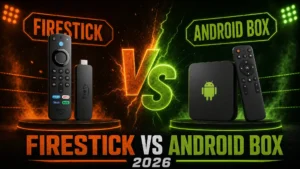
Firestick vs Android Box for IPTV: Which Wins? (2026)
Firestick or Android TV Box — the eternal IPTV question. One is cheap
and everywhere, the other is powerful and flexible. Ask in any IPTV
forum and you’ll get a religious war.
I’ve run both daily for years with real IPTV workloads: 22,000-channel
playlists, 4K sports, TiviMate multi-view. In this 2026 comparison,
I’ll settle the debate — not with opinions, but with test results and
clear recommendations for YOUR situation.
Quick Verdict Table
| Factor | Firestick 4K Max | Android TV Box |
|---|---|---|
| Price | $59 | $49-199 |
| Ease of setup | ⭐⭐⭐⭐⭐ | ⭐⭐⭐⭐ |
| Performance | ⭐⭐⭐⭐ | ⭐⭐⭐-⭐⭐⭐⭐⭐ |
| Ethernet | Adapter needed | Usually built-in ✅ |
| RAM | 2GB | 2-4GB+ |
| App freedom | Sideload OK | Full Play Store |
| Interface ads | Amazon-heavy | Cleaner (Google TV) |
| TiviMate | ✅ (sideload) | ✅ (Play Store) |
TL;DR: Firestick for simplicity and value. Android box for power,
Ethernet, and a cleaner experience.
What is Each Device? (30 Seconds)
Amazon Firestick
Amazon’s HDMI streaming stick running Fire OS (a locked-down Android
fork). Cheap, everywhere, sideload-friendly.
Android TV Box
Any set-top box running Android TV / Google TV: Nvidia Shield, Onn 4K
Pro, Chromecast with Google TV, and dozens of generics.
Both are covered in depth: best IPTV boxes 2026
Round 1: Price 💰
Firestick:
- Fire TV Stick 4K: $49
- Fire TV Stick 4K Max: $59
- Fire TV Cube: $139
Android Box:
- Onn 4K Pro (Walmart): $49
- Chromecast w/ Google TV: $49
- Nvidia Shield Pro: $199
Winner: TIE — both start around $50. The difference is what that
$50 buys (see next rounds).
Round 2: IPTV Performance 🏎️
Tested with a 22,000-channel playlist in TiviMate:
Firestick 4K Max:
- App launch: 3-4 seconds
- Channel zapping: Fast
- 4K streams: Smooth
- Limitation: 2GB RAM — occasional stutter with massive EPGs and
multi-view
Budget Android Box (Onn 4K Pro):
- 3GB RAM = smoother with huge playlists
- 4K playback: Good
- Zapping: Fast
Premium Android Box (Shield Pro):
- Everything: instant
- Multi-view 4 streams: flawless
- Zero compromise, ever
Winner: Android Box — more RAM at the same price, and a premium
ceiling Firestick can’t touch.
Slow performance diagnosis: why is my IPTV slow?
Round 3: Ethernet 🔌 (The Sleeper Issue)
Buffering’s #1 enemy is WiFi.
Firestick:
- ❌ No Ethernet port
- ✅ $15 adapter available (works fine, but it’s extra cost + dongle
mess)
Android Boxes:
- ✅ Most have built-in Gigabit Ethernet — even the $49 Onn 4K Pro!
Winner: Android Box — decisively. Built-in Ethernet at $49 is the
single best IPTV feature per dollar.
Why wired matters so much: IPTV buffering fix
Round 4: App Freedom 📱
Firestick (Fire OS):
- Amazon Appstore is limited — no TiviMate, no OTT Navigator natively
- ✅ Sideloading works easily via Downloader app
- All IPTV apps installable with 5 extra minutes
Android Box (Google TV):
- ✅ Full Google Play Store
- TiviMate, OTT Navigator, Smarters — one-click installs
- Updates automatic
Winner: Android Box — same destination, zero friction.
App guides for both:
Round 5: Interface & Ads 📺
Firestick:
- Fire OS is an Amazon billboard — sponsored rows, autoplay ads, Prime
pushes everywhere - Fine once you’re inside your IPTV app
Android Box (Google TV):
- Cleaner, recommendation-based
- Some sponsored content, but far less aggressive
- Shield: nearly ad-free experience
Winner: Android Box
Round 6: Ease of Use 👵
Firestick:
- Setup: plug in, login to Amazon, done
- Alexa remote everyone understands
- Massive online support content — every problem has a YouTube fix
- Our guide: Firestick IPTV setup
Android Box:
- Slightly more setup variety (brands differ)
- Google TV is intuitive but less universal
- Our guide: Android TV box setup
Winner: Firestick — the “buy it for your parents” choice.
Round 7: Reliability & Updates 🔄
Firestick:
- Amazon updates Fire OS for years
- Massive install base = bugs get fixed fast
Android Box:
- Big brands (Nvidia, Google, Walmart Onn): solid update support
- ⚠️ Generic AliExpress boxes: ZERO updates, security risks, often preloaded with pirated apps — avoid entirely
(legal risks explained)
Winner: TIE — for reputable brands. Firestick wins vs generic
junk.
Final Scorecard
| Round | Winner |
|---|---|
| Price | Tie |
| Performance | Android Box |
| Ethernet | Android Box |
| App Freedom | Android Box |
| Interface | Android Box |
| Ease of Use | Firestick |
| Reliability | Tie |
Overall: Android Box wins 4-1-2 — BUT the story isn’t that simple.
Which Should YOU Buy?
Buy a Firestick if:
- ✅ You want the simplest possible experience
- ✅ It’s for a non-technical family member
- ✅ You’re in the Amazon/Alexa ecosystem
- ✅ WiFi placement is fine (or you’ll grab the adapter)
- ✅ Budget is exactly ~$50-60
Buy an Android Box if:
- ✅ You want built-in Ethernet (huge for IPTV!)
- ✅ You use TiviMate/OTT Navigator (Play Store convenience)
- ✅ You have 20,000+ channel playlists
- ✅ You hate ads in your launcher
- ✅ You might want premium power later (Shield path)
The Sweet-Spot Picks:
- $49: Onn 4K Pro — Ethernet + 3GB RAM embarrasses the Firestick
spec sheet - $59: Fire TV Stick 4K Max — if simplicity wins for you
- $199: Nvidia Shield Pro — if you never want to think about
hardware again
What About Smart TVs and Apple TV?
Don’t need a box at all?
- Samsung Smart TV setup
- LG Smart TV setup
- Apple TV setup (premium
alternative to both!)
Frequently Asked Questions
Does TiviMate work on Firestick?
Yes — via 5-minute sideload. On Android boxes it’s a direct Play
Store install.
Is the Firestick Ethernet adapter worth it?
Absolutely — $15 for 80% less buffering. If buying Firestick, buy the
adapter with it.
Are cheap AliExpress Android boxes okay?
No. Outdated Android, no updates, security holes. Stick to Onn,
Chromecast, or Shield.
Which handles 4K sports better?
Both handle 4K fine. For 60fps sports + multi-view, Shield Pro is
untouchable: best IPTV for sports
Can I use the same IPTV subscription on both?
Yes — Digital Lizard IPTV works identically on both, up to 4 devices
simultaneously.
Final Thoughts
The honest answer: both are great, and your IPTV service matters more than the box. A $199 Shield with a weak provider buffers; a
$49 Onn with a quality provider streams flawlessly.
Pick the device that fits your life — then invest in the service that
makes it shine.
The Service That Works on Both
Digital Lizard IPTV — optimized for every device:
✅ Perfect on Firestick AND Android Boxes
✅ 22,000+ Live Channels
✅ Full TiviMate & Smarters Support
✅ 4K/UHD Streams
✅ Anti-Buffering Technology
✅ 4 Simultaneous Devices
✅ $9.99/month
✅ 24-Hour Free Trial
✅ 7-Day Money-Back Guarantee
Any box. Every channel.