

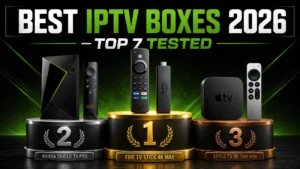
Best IPTV Boxes 2026: Top 7 Devices Tested & Compared
The right IPTV box makes the difference between buffer-free 4K
streaming and constant frustration. A weak device chokes on 22,000
channels; a good one makes IPTV feel like premium cable.
After testing 15+ devices over 6 months with real IPTV workloads, I’ve
ranked the 7 best IPTV boxes for 2026 — from $30 budget picks to
premium powerhouses.
Quick Comparison Table
| Device | Price | Rating | Best For |
|---|---|---|---|
| Nvidia Shield Pro | $199 | 9.8/10 | Ultimate performance |
| Fire TV Stick 4K Max | $59 | 9.5/10 | Best value |
| Apple TV 4K | $129 | 9.4/10 | Apple users |
| Onn 4K Pro (Walmart) | $49 | 8.8/10 | Budget Android TV |
| Chromecast w/ Google TV | $49 | 8.7/10 | Google ecosystem |
| Fire TV Cube | $139 | 8.6/10 | Hands-free control |
| Formuler Z11 Pro | $179 | 8.5/10 | IPTV-dedicated |
What Makes a Great IPTV Box?
My testing criteria:
✅ Processing power — smooth navigation with huge channel lists
✅ 4K + codec support — H.265/HEVC hardware decoding
✅ Ethernet port — WiFi buffers; wired doesn’t
✅ App compatibility — TiviMate, Smarters, OTT Navigator
✅ RAM — 2GB minimum, 3GB+ ideal
✅ Remote quality — you’ll use it constantly
✅ Price-to-performance
The Top 7 IPTV Boxes for 2026
1. Nvidia Shield TV Pro — Best Overall ⭐⭐⭐⭐⭐
Rating: 9.8/10 | Price: $199
The undisputed king. Five years old design, still crushes everything.
Why It Wins:
- Tegra X1+ processor — handles 22,000 channels effortlessly
- 3GB RAM — zero lag, ever
- Gigabit Ethernet built-in
- AI 4K upscaling (makes HD look near-4K)
- Dolby Vision + Atmos
- Full Google Play access — every IPTV app works
IPTV Test Results:
- Channel zapping: Instant ✅
- TiviMate with 22K channels: Flawless ✅
- 4K streams: Perfect, zero drops ✅
- Multi-view (4 streams): Smooth ✅
Downside: Price. But it lasts 5+ years.
Best for: Anyone serious about IPTV who wants zero compromises.
2. Fire TV Stick 4K Max (2nd Gen) — Best Value ⭐⭐⭐⭐⭐
Rating: 9.5/10 | Price: $59
The people’s champion — 80% of Shield performance at 30% of the price.
Why It’s Great:
- 2GB RAM + WiFi 6E
- Smooth 4K HDR streaming
- Massive app ecosystem
- Alexa voice remote
IPTV Test Results:
- Channel zapping: Fast ✅
- TiviMate performance: Very good ✅
- 4K streams: Stable ✅
Weaknesses:
- No Ethernet (adapter = $15 extra — buy it!)
- Amazon ads on home screen
Setup: Complete Firestick IPTV guide
Best for: Most people. Seriously — this is the smart default choice.
3. Apple TV 4K (3rd Gen) — Best Premium Experience ⭐⭐⭐⭐⭐
Rating: 9.4/10 | Price: $129 (WiFi) / $149 (Ethernet)
The smoothest interface in streaming, period.
Why Apple Users Love It:
- A15 Bionic chip — phone-level power
- Flawless 4K Dolby Vision
- Gigabit Ethernet (149$ model)
- AirPlay from iPhone
- tvOS never lags, ever
IPTV Considerations:
- App selection smaller (IPTVX, GSE, Smarters — all good)
- No TiviMate (Android exclusive)
- No sideloading
Setup: Apple TV IPTV guide
Best for: iPhone households wanting premium polish.
4. Onn 4K Pro — Best Budget Android TV ⭐⭐⭐⭐
Rating: 8.8/10 | Price: $49
Walmart’s shocker — genuine Google TV with Ethernet for under $50.
Why It Surprises:
- 3GB RAM (more than Firestick!)
- Built-in Ethernet port at this price 🔥
- Clean Google TV interface
- Full Play Store — TiviMate works perfectly
IPTV Test Results:
- TiviMate: Smooth ✅
- 4K playback: Good ✅
- Large playlists: Minor slowdowns with 20K+ channels
Best for: Budget buyers who insist on Ethernet + Google TV.
5. Chromecast with Google TV 4K — Best for Google Homes ⭐⭐⭐⭐
Rating: 8.7/10 | Price: $49
Strengths:
- Clean Google TV experience
- Great recommendations engine
- Compact, hides behind TV
- Full Play Store
Weaknesses:
- Only 8GB storage (fills fast!)
- 2GB RAM — okay, not great
- No Ethernet (adapter needed)
Setup basics: Android TV box guide
Best for: Google ecosystem users with modest needs.
6. Fire TV Cube (3rd Gen) — Best Hands-Free ⭐⭐⭐⭐
Rating: 8.6/10 | Price: $139
The most powerful Fire TV device — with built-in Alexa speaker.
Strengths:
- Fastest Fire TV processor
- Built-in Ethernet ✅
- Hands-free Alexa (“Alexa, open TiviMate”)
- 16GB storage
Weaknesses:
- Amazon-heavy interface
- Pricey vs Stick 4K Max
Best for: Alexa households wanting Fire TV’s best.
7. Formuler Z11 Pro Max — Best IPTV-Dedicated Box ⭐⭐⭐⭐
Rating: 8.5/10 | Price: $179
Built BY IPTV users FOR IPTV users.
What Makes It Special:
- MyTVOnline3 — built-in premium IPTV app (TiviMate-quality)
- 4GB RAM + Gigabit Ethernet
- Designed around Xtream Codes/M3U workflows
- BT remote with backlight
Weaknesses:
- Niche brand (less support content)
- No Netflix certification (workarounds exist)
- IPTV-focused = weaker general streaming
Best for: IPTV-only users wanting a purpose-built machine.
Which Box Should YOU Buy?
By Budget:
Under $50: Onn 4K Pro (Ethernet!) or Chromecast
$50-100: Fire TV Stick 4K Max + Ethernet adapter
$100-150: Apple TV 4K or Fire TV Cube
$150+: Nvidia Shield Pro (buy once, cry once)
By Use Case:
Sports fanatic: Shield Pro (multi-view!)
→ see: sports on IPTV
Apple household: Apple TV 4K
First IPTV box: Fire TV Stick 4K Max
IPTV-only purist: Formuler Z11 Pro
Tight budget: Onn 4K Pro
Essential Accessories
Whatever box you choose:
- Ethernet adapter ($15) — if your box lacks a port. Single
biggest buffering fix: why wired matters - Quality HDMI 2.1 cable ($10) — for real 4K HDR
- USB drive ($15) — for recordings: recording guide
Setup After Buying
Whichever box you pick, setup takes 10 minutes:
- Connect box → TV → internet (Ethernet!)
- Install your IPTV app:
- TiviMate guide (Android devices)
- IPTV Smarters guide (everything)
- Add a VPN: best VPNs for IPTV
- Login with your subscription
- Stream!
Frequently Asked Questions
Do I really need an expensive box?
No — the $59 Fire Stick 4K Max handles IPTV beautifully. Premium boxes
add speed, Ethernet, and longevity.
Firestick vs Android box?
Firestick = simpler, cheaper. Android boxes = more RAM, Ethernet,
Google TV. Both excellent — full comparison in guides above.
What about cheap AliExpress boxes?
Avoid — outdated Android, no updates, security risks, and often
preloaded with pirated apps (legal risks explained).
Does the box affect buffering?
Partly — weak boxes stutter on 4K. But internet + provider quality
matter more.
How long do these boxes last?
Quality boxes: 4-6 years. Shield owners from 2019 still going strong.
Smart TV vs separate box?
Boxes outperform built-in TV apps significantly. Even Samsung/LG owners
benefit — though TV-only works too:
Samsung guide |
LG guide
Final Verdict
🥇 Best Overall: Nvidia Shield Pro — if budget allows
🥈 Best Value: Fire TV Stick 4K Max — the smart default
🥉 Best Budget: Onn 4K Pro — Ethernet under $50
Any of these seven, paired with a quality IPTV service, delivers an
experience that embarrasses $200/month cable.
Complete Your Setup
The best box needs the best service. Digital Lizard IPTV works
flawlessly on every device in this list:
✅ Optimized for All 7 Boxes
✅ 22,000+ Live Channels
✅ 4K/UHD Streams (use that hardware!)
✅ TiviMate + Smarters Full Support
✅ Anti-Buffering Technology
✅ 24/7 Support
✅ $9.99/month
✅ 24-Hour Free Trial
✅ 7-Day Money-Back Guarantee
Great box + great service = TV perfection.