

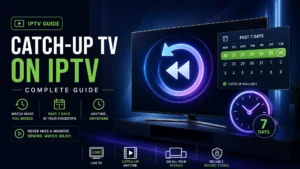
How to Use Catch-Up TV on IPTV (2026 Complete Guide)
Missed last night’s game because of work? Fell asleep before the
season finale? With cable, that content is gone forever (unless you
planned ahead with DVR).
With IPTV, there’s Catch-Up TV — the secret weapon most users don’t
even know they have. Rewatch ANYTHING from the past 7 days with zero
recording, zero storage, zero planning.
In this 2026 guide, I’ll show you exactly how to use Catch-Up TV in
every major app — plus fixes when it’s not working.
What is Catch-Up TV?
Catch-Up TV (also called “timeshift” or “replay”) means your IPTV
provider stores the past 7 days of programming on their servers.
Instead of you recording shows in advance, everything is
automatically “recorded” for you — server-side.
How It’s Different from Recording:
| Feature | Catch-Up TV | Recording (DVR) |
|---|---|---|
| Planning needed | ❌ None | ✅ Must schedule |
| Storage used | ❌ Zero | ✅ Your USB/disk |
| Time window | 7 days | Forever |
| Setup | None | App + storage |
| Cost | Included* | App fees + storage |
*With providers that support it
The magic: You can watch a show you didn’t even KNOW existed
yesterday. Try that with a DVR.
Full recording comparison: how to record IPTV
What You Need for Catch-Up TV
Two requirements — both essential:
1. A Provider That Supports It ⭐
Catch-up requires serious server storage — budget providers skip it.
Ask before subscribing: “Do you support catch-up/timeshift, and
for how many days?”
💡 Digital Lizard IPTV includes 7-day catch-up on supported
channels at no extra cost.
2. An App That Supports It
All major apps do:
- ✅ TiviMate (best catch-up interface)
- ✅ IPTV Smarters Pro
- ✅ OTT Navigator
- ❌ VLC (no catch-up — playlist players only see live)
Also: Use Xtream Codes login, not plain M3U — catch-up data
flows through the API.
How to Spot Catch-Up Channels
Not every channel supports catch-up. Look for the indicator:
- Clock icon 🕐 next to the channel name (Smarters)
- Highlighted past programs in the EPG (TiviMate)
- Usually: major networks, sports, news = supported
Using Catch-Up in TiviMate (Best Experience)
TiviMate makes catch-up feel like time travel:
Method 1: Through the TV Guide
- Open the TV Guide
- Navigate LEFT (backward in time)
- Past programs with catch-up appear selectable (not grayed out)
- Click any past program
- Select Play
- Watch — with full pause/rewind/fast-forward! ⏯️
Method 2: From the Channel
- Select a channel
- Open its program list
- Scroll to past days
- Play anything from the last week
Full app setup: TiviMate complete guide
Using Catch-Up in IPTV Smarters Pro
- Go to Live TV
- Find channels with the clock icon 🕐
- Click the channel → select Catch Up (instead of Play)
- Choose the day (yesterday, 2 days ago…)
- Pick the program from the list
- Play!
Full app setup: Smarters Pro guide
Using Catch-Up in OTT Navigator
- Open the EPG/Guide
- Scroll backward in time
- Available past programs are highlighted
- Select → Play
Bonus: OTT Navigator shows archive duration per channel in channel
info.
App setup: OTT Navigator guide
Real-World Catch-Up Scenarios
🏈 “I Missed the Game!”
Sunday game while you were at a wedding? Monday morning:
- Guide → yesterday → game channel
- Play from kickoff
- Pro tip: Avoid social media until you’ve watched! 😅
Sports setup: watch live sports on IPTV
📺 “What Was That Show Everyone’s Talking About?”
Co-workers discussing last night’s episode you’ve never seen:
- Find the channel → last night’s schedule
- Watch the exact episode they’re talking about
- Join the conversation tomorrow
🌙 “I Fell Asleep Mid-Episode”
- Reopen via catch-up
- Fast-forward to where you dozed off
- Finish properly
✈️ “I Was Traveling All Week”
7 days of your shows waiting — binge the backlog without having
planned anything.
Catch-Up Not Working? Fixes 🔧
Problem: No Clock Icons / Nothing Selectable in Past
Causes & fixes:
- Provider doesn’t support it — ask them directly (dealbreaker
for many users!) - Using M3U instead of Xtream Codes — switch login type
- EPG not loaded — catch-up navigation needs the guide:
EPG fixes
Problem: Catch-Up Stream Won’t Play
Fixes:
- Try a different program/day (individual archives can fail)
- Switch decoder in app settings
- Restart app
- General fixes: channels not loading
Problem: Catch-Up Buffers Badly
Archive streams come from storage servers — sometimes different
infrastructure than live:
- Standard fixes apply: buffering solutions
- If live is smooth but catch-up always struggles → provider’s
archive servers are weak
Problem: Only 1-2 Days Available (Not 7)
Archive depth is provider-controlled. Some offer 1 day, quality
services offer 7+. Another question to ask before subscribing.
Catch-Up + Recording: The Perfect Combo
Power-user strategy:
- Catch-up for everything recent (0-7 days) — zero effort
- Recording for keepers (want it forever?) —
TiviMate recording
Example: Watch the game via catch-up Monday. Loved it? It’s still
in the 7-day window — record it to USB for your permanent collection.
Frequently Asked Questions
Is catch-up TV free?
With quality providers, it’s included in your subscription — no extra
fees.
Can I fast-forward through catch-up?
Yes! Unlike live TV, catch-up streams support full
pause/rewind/fast-forward. Skip the ads. 😉
Does catch-up work on all devices?
Works wherever your app works: Firestick,
Android boxes,
Smart TVs,
iPhone,
Mac — MAG boxes vary by model.
Why do only some channels have it?
Storage costs — providers prioritize popular channels. 22,000
channels × 7 days = massive server storage.
Does catch-up count against my device limit?
Yes, a catch-up stream = one active connection, same as live.
Catch-up vs VOD — what’s the difference?
VOD = movie/series library (permanent). Catch-up = recent live TV
replay (7-day window). Quality services include both.
Final Thoughts
Catch-Up TV might be IPTV’s most underrated feature — it turns “I
missed it” into “I’ll watch it tonight” with literally zero effort or
planning.
If your current provider doesn’t support it, you’re missing half the
IPTV experience. It’s worth switching for.
Get 7-Day Catch-Up Included
Digital Lizard IPTV — never miss anything again:
✅ 7-Day Catch-Up TV Included
✅ Full Xtream Codes API (catch-up works everywhere)
✅ Works with TiviMate, Smarters, OTT Navigator
✅ 22,000+ Live Channels
✅ 150,000+ VOD Titles (permanent library too!)
✅ Complete EPG Data
✅ $9.99/month
✅ 24-Hour Free Trial
✅ 7-Day Money-Back Guarantee
The past 7 days, always available.