

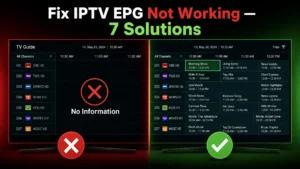
IPTV EPG Not Working? 7 Easy Fixes for TV Guide (2026)
EPG showing “No Information” on every channel? A broken TV guide makes
navigating 22,000 channels nearly impossible — you’re flying blind.
The good news: EPG problems are among the easiest IPTV issues to fix.
In this 2026 guide, I’ll show you 7 proven solutions for IPTV Smarters,
TiviMate, and every major IPTV app.
What is EPG? (Quick Explanation)
EPG = Electronic Program Guide — the TV guide showing:
- What’s playing NOW on each channel
- What’s coming up next
- Program descriptions and times
- Catch-up availability
Without EPG, you see channel names only — no idea what’s actually
playing. With EPG, IPTV feels like premium cable.
Why EPG Stops Working
Common causes:
- EPG URL missing (M3U users — most common!)
- EPG hasn’t loaded yet (needs time after setup)
- Wrong time zone settings
- Provider EPG server temporarily down
- App cache corruption
- Outdated EPG data not refreshing
Let’s fix each one.
Fix 1: Wait 24 Hours (Seriously!) ⏰
If you JUST set up IPTV:
EPG data is large — guide info for 22,000 channels takes time to
download and process on first setup.
- First load: 5 minutes to 24 hours
- Some channels populate before others
- This is NORMAL
If it’s been more than 24 hours → continue to Fix 2.
Fix 2: Force EPG Refresh 🔄
In IPTV Smarters Pro:
- Open the app
- Go to Settings (gear icon)
- Select EPG
- Tap Refresh EPG or Update EPG
- Wait 2-5 minutes
Full app guide: IPTV Smarters Pro complete guide
In TiviMate:
- Settings → EPG
- Click Update now
- Wait for download to complete
Full app guide: TiviMate setup guide
In OTT Navigator:
- Settings → EPG
- Reload EPG sources
Fix 3: Add the EPG URL (M3U Users) 🔗
This is the #1 cause for M3U playlist users!
The Problem:
- Xtream Codes login → EPG loads automatically ✅
- M3U playlist → EPG URL must be added SEPARATELY ⚠️
Many users add their M3U but never add the EPG URL — result: no guide
data.
The Fix:
- Get your EPG URL from your provider — usually looks like:
http://server.example.com/xmltv.php?username=X&password=Y
- Add it in your app:
IPTV Smarters:
- Settings → EPG → Add EPG URL → Paste → Save → Refresh
TiviMate:
- Settings → EPG → Add EPG source → Paste URL → Update
- Wait 5-15 minutes for data to load
💡 Better solution: Ask your provider for Xtream Codes login
instead of M3U. EPG then works automatically. Digital Lizard IPTV
provides Xtream Codes with full EPG for every channel.
Fix 4: Fix Wrong Time Zone 🕐
Symptom: EPG shows programs, but times are wrong (off by hours) —
the guide says news is on, but you see a movie.
The Fix:
In TiviMate:
- Settings → EPG
- Find Time offset
- Adjust (+1, -5, etc.) until guide matches reality
In IPTV Smarters:
- Settings → General
- Check Time Format & Time Zone
- Match your actual location
Also check your device:
- Firestick: Settings → Preferences → Time Zone
- Make sure device time zone is correct first!
Fix 5: Clear App Cache 🧹
Corrupted cache breaks EPG loading:
On Firestick:
- Settings → Applications
- Manage Installed Applications
- Select your IPTV app
- Clear Cache (try this first)
- Still broken? Clear Data (requires re-login)
On Android TV:
- Settings → Apps → your IPTV app
- Storage → Clear Cache
After clearing, refresh EPG again (Fix 2).
Fix 6: Check with Your Provider 📞
If nothing above works, the EPG source itself may be down:
Ask Your Provider:
- “Is your EPG server working?”
- “Can you send me the current EPG URL?”
- “Do you support EPG for all channels?”
Provider-Side Issues:
- EPG server maintenance
- Outdated EPG URL (they rotate sometimes)
- Limited EPG coverage (budget providers only cover 30-50% of channels)
Quality check: Premium providers cover 90%+ of channels with EPG
data. If your provider covers less, that’s a service quality issue —
compare alternatives: best IPTV for Firestick
Fix 7: Try a Different App 📱
Rule out app-specific bugs:
- Install a second IPTV app
- Add same credentials
- Does EPG work there?
Results:
- EPG works in new app → original app issue (reinstall it)
- EPG fails everywhere → provider EPG issue (Fix 6)
Best apps for EPG quality:
- TiviMate — best EPG handling (guide)
- IPTV Smarters Pro — reliable (guide)
- OTT Navigator — advanced EPG options
Full comparison: best IPTV players 2026
EPG Troubleshooting by App
IPTV Smarters: EPG Blank
- Settings → EPG → Refresh
- If M3U: verify EPG URL added
- Clear cache
- Re-add user profile
TiviMate: “No information”
- Settings → EPG → Update now
- Check EPG source is listed
- Verify time offset
- Toggle “Use EPG from playlist” setting
Smart IPTV (Samsung/LG): No Guide
- EPG must be in your M3U or uploaded at siptv.app
- Ask provider for EPG-embedded playlist
- Setup guides: Samsung | LG
Quick Diagnostic Checklist
Run through in order:
- [ ] Waited 24 hours after setup?
- [ ] Forced EPG refresh?
- [ ] EPG URL added (M3U users)?
- [ ] Time zone correct?
- [ ] Cache cleared?
- [ ] Tested different app?
- [ ] Contacted provider?
Related Issues
EPG problems often come with other issues:
- Channels won’t play at all? → Channels not loading fixes
- Streams buffering? → Buffering solutions
- Everything broken on Firestick? → Complete Firestick fixes
Frequently Asked Questions
Why does EPG work for some channels only?
Providers source EPG data per-channel. Budget services cover fewer
channels. Premium services cover 90%+.
How often does EPG update?
Usually every 12-24 hours automatically. Manual refresh anytime.
Does EPG use a lot of data?
Initial download: 50-200MB. Updates: much smaller.
Can I use external EPG sources?
Yes — TiviMate and OTT Navigator support third-party XMLTV sources.
Xtream Codes vs M3U for EPG?
Xtream Codes wins — EPG loads automatically with zero configuration.
Final Thoughts
EPG issues are almost always fixable in minutes: refresh, add the EPG
URL, fix your timezone. If your provider’s EPG coverage is weak even
after fixes, that’s a sign to upgrade your service.
A great TV guide transforms IPTV from a channel list into a true cable
replacement.
Get IPTV with Perfect EPG
Digital Lizard IPTV delivers complete guide data:
✅ Full EPG on 90%+ of Channels
✅ Xtream Codes API (EPG auto-loads!)
✅ 7-Day Catch-Up TV Support
✅ Works Perfectly with TiviMate & Smarters
✅ 22,000+ Live Channels
✅ 24/7 Support (EPG help included)
✅ $9.99/month
✅ 24-Hour Free Trial
✅ 7-Day Money-Back Guarantee
Know what’s on. Always.